
Why We Built SimToolbox
SimToolbox is a macOS menu bar app for inspecting simulators, browsing app data, and monitoring databases in real time.
You're debugging your iOS application in the Simulator and you need to look at what's actually inside your app's sandbox. So you search for the simulator folder in Finder, navigate through layers of opaque UUIDs, realise you're in the wrong directory, and start again. Then the simulator resets and the whole path changes.
It's not dramatic. It's just friction — a tiny tax iOS developers pay dozens of times a week. Checking an app's Info.plist, examining disk usage, verifying a database migration wrote the right rows, figuring out which simulator has yesterday's build. Each one is solvable with terminal commands and Finder. None of them are hard. But they all pull you out of your development flow. At some point last year, we got frustrated enough to do something about it.
What SimToolbox Does
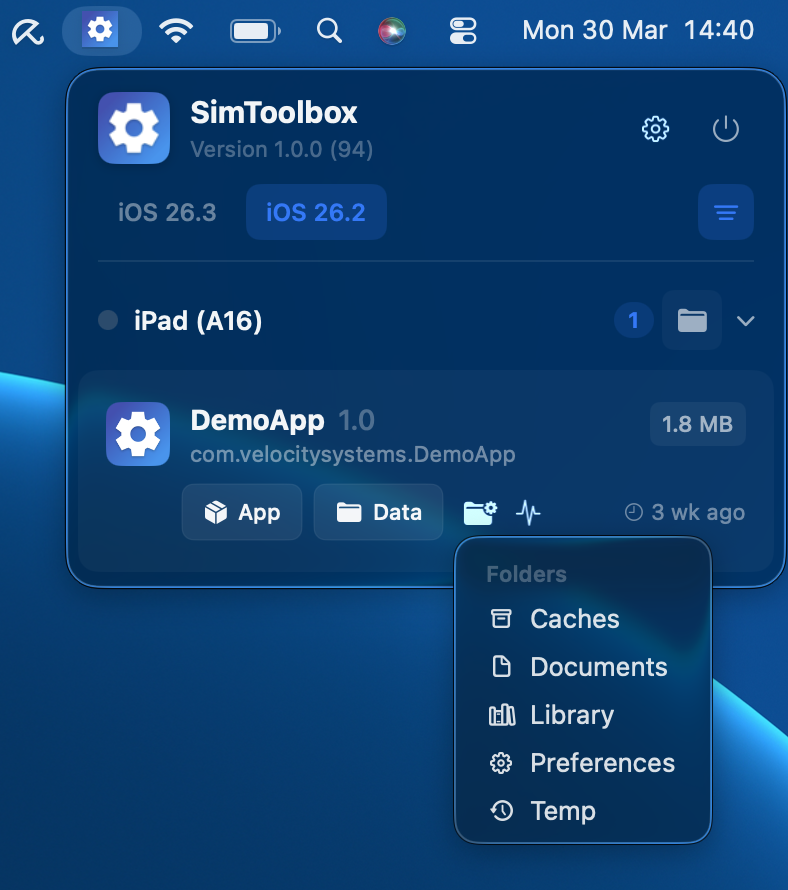
SimToolbox lives in your menu bar and gives you instant access to every simulator on your machine. Here's what's inside.
View All Simulators
All your iOS, iPadOS, watchOS, tvOS, and visionOS simulators, grouped by runtime — one click away. You can filter to only show devices with apps installed, which cuts through the noise immediately. No more guessing which device has your build.
Browse Simulator Folders
Jump straight to any app's Bundle, Documents, Caches, or Library directory without needing to remember paths or navigate through layers of UUIDs in Finder. Select an app, pick a folder, and you're there.
Inspect Simulators
Simulator Inspector gives you a sortable overview of every simulator on your machine — with columns for app count, app size, and total disk usage. Useful for figuring out which simulators are eating your disk space, or just tracking down a specific build.
Bundle Inspector lets you inspect any app's Info.plist with a structured summary, extracted entitlements, and a raw plist browser. Everything you'd normally dig out with plutil or Finder, surfaced in one view.
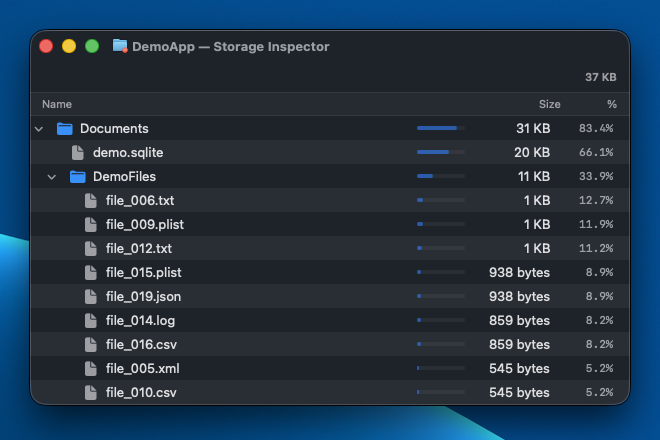
Storage Inspector provides a visual disk usage breakdown for any app's data directory. Colour-coded bars show where the space is going, and an expandable folder tree lets you drill into the details.
Watch Simulators
Database Watcher monitors your app's SQLite databases in real time — discovers them automatically, detects row-level changes, and shows you the generated SQL. When you're debugging migrations or persistence logic, being able to see exactly what's happening to your database as it happens is genuinely better than querying it after the fact.
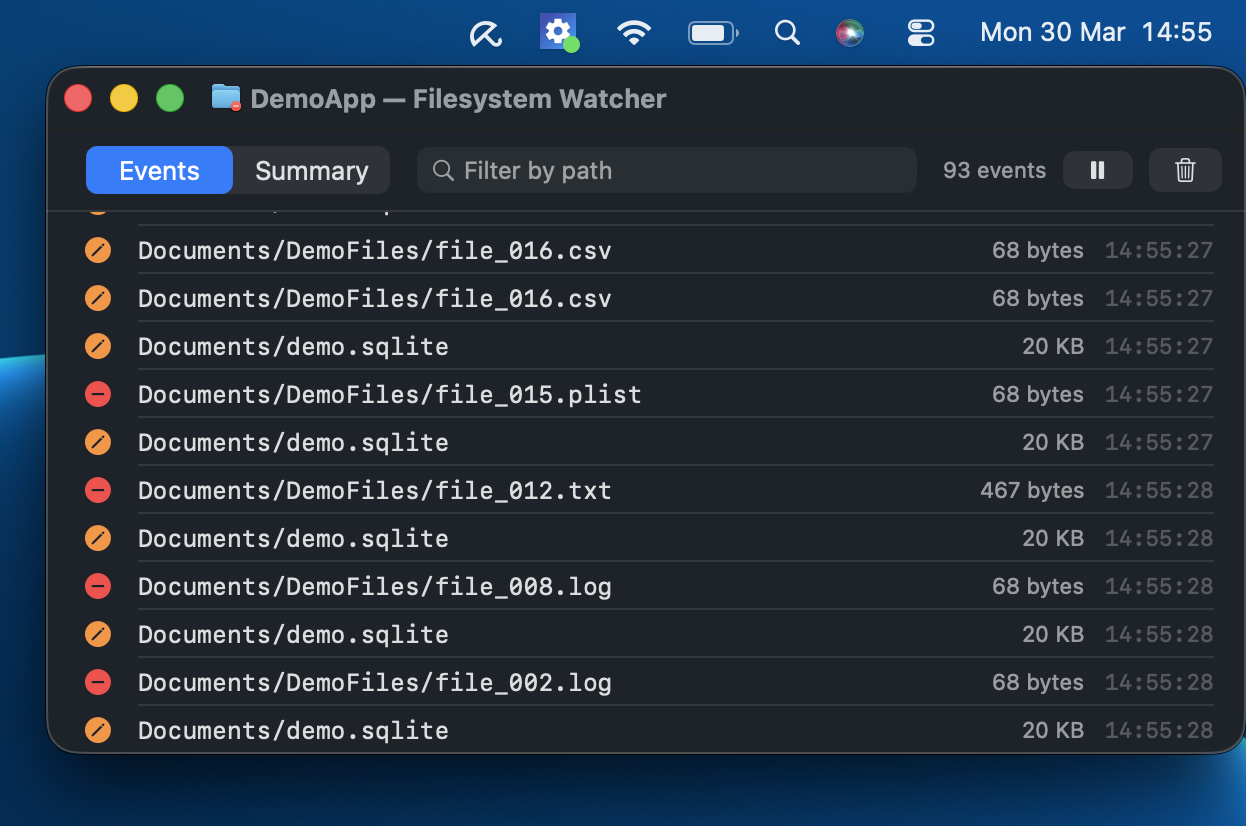
Filesystem Watcher streams file additions, modifications, and deletions as they happen. Coloured status icons make it easy to spot what changed. Useful when you're not sure what your app is writing to disk, or when you want to verify that a cache invalidation is actually working.
Log Watcher streams your app's unified logging (os_log) output live, scoped to its process and filtered to hide system framework noise. Every entry carries a coloured level badge — Debug, Info, Default, Error, Fault — alongside its subsystem, category, and timestamp, and you can filter by level or search the text. It's Console.app narrowed to just the app you care about, right next to everything else you're inspecting.
User Defaults Watcher discovers preference files automatically, displays typed key-value pairs, and polls for changes. If you've ever had a bug caused by a stale UserDefaults value, this is the fastest way to catch it.
Try SimToolbox
SimToolbox is available on the Mac App Store. We've got plenty more on the roadmap, but right now we're most interested in hearing from you — if there's a simulator workflow that drives you mad, we want to know about it.

SimToolbox is developed by Velocity Engineering Systems Ltd.